Introduction
The Theme Customization feature allows you to personalize the visual style of your Core Sale page to match your project’s branding. From colors and typography to images and layout, you can create a page that feels consistent with your brand identity and gives participants a cohesive experience.
This article explains how theme customization works and how you can adjust each element to align your sales page with your project.
Prior Knowledge
Before setting up your Pricing Model, you should be familiar with:
-
What is a Core?
Explore the different types of cores, their roles in validating transactions, and how they contribute to the security and operation of blockchain ecosystems. -
Core NFT Configuration
Be familiar with how your NFTs are presented, as your branding choices should complement your NFT visuals.
Theme Customization Options
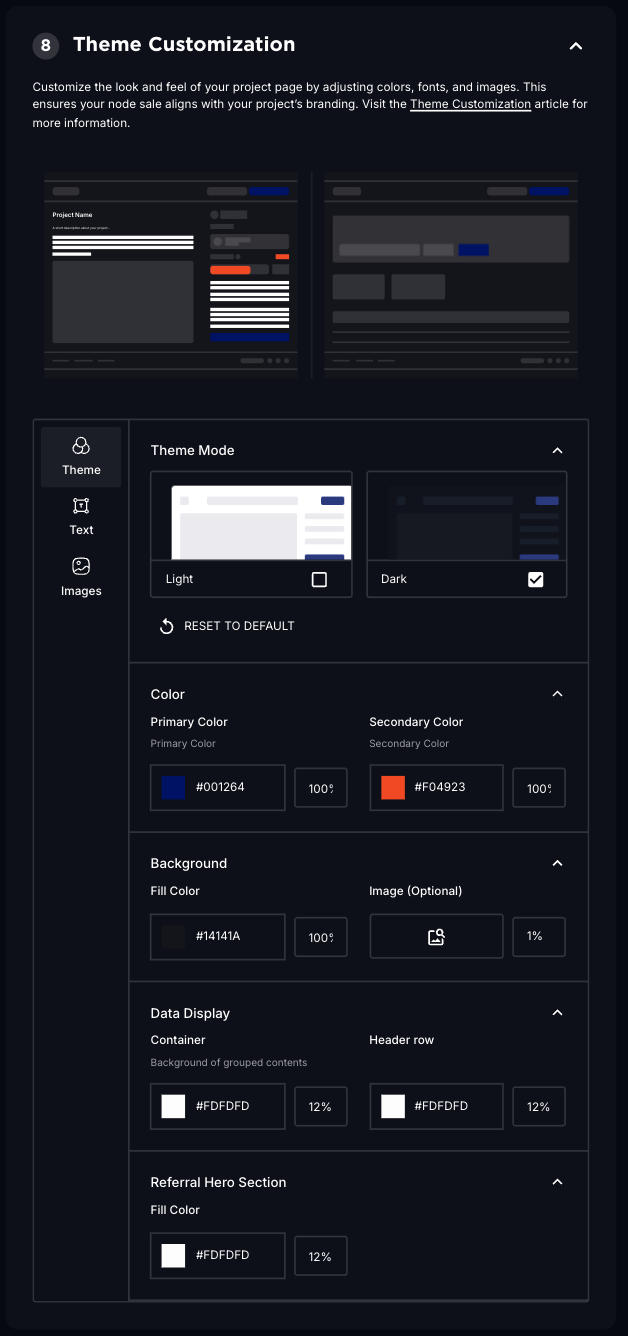
Theme Mode
Choose between light or dark mode for your project page, depending on your branding preference and desired user experience.
- Light: A bright, clean appearance for a modern, open look.
- Dark: A sleek, high-contrast theme for bold presentation.
Color Customization
Adjust your primary and secondary colors to match your brand palette.
- Primary Color: The main color used for buttons, highlights, and key actions.
- Secondary Color: The supporting color used for accents and displaying key information such as Tiers.
Background Settings
Customize the background of your Core Sale page.
- Fill Color: Set a background color that complements your brand aesthetic.
- Image (Optional): Upload a background image to add visual depth and texture.
Data Display
Adjust the appearance of your data sections for clarity and style.
- Container: Set the background color or image for the main data container.
- Header Row: Customize the header row appearance for tables and data sections.
Referral Hero Section
Style the hero section of your referral program to maintain visual consistency.
- Fill Color: Define the background color for this section to align with your branding.
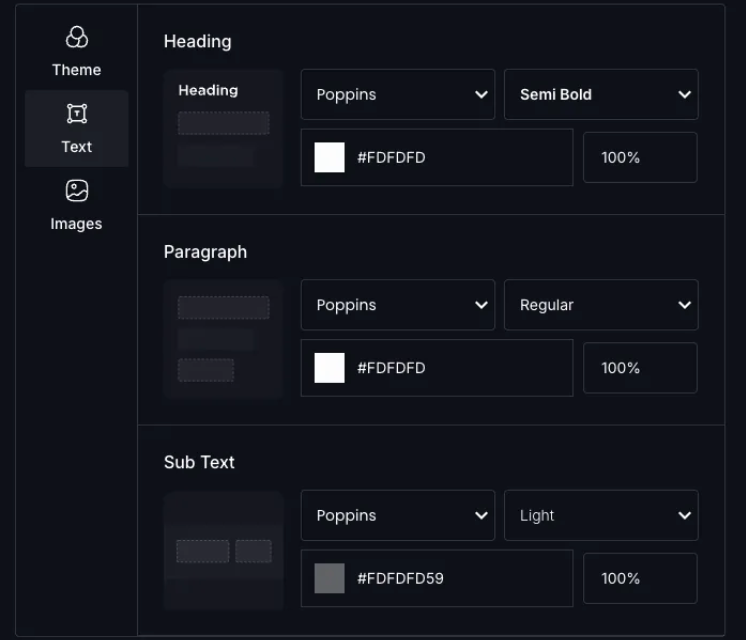
Text Customization
Control the typography to reflect your project’s style guide.
- Heading: Customize the appearance of headings for emphasis.
- Paragraph: Adjust paragraph styling for readability and tone.
- Subtext: Style subtext elements for clarity in secondary information.
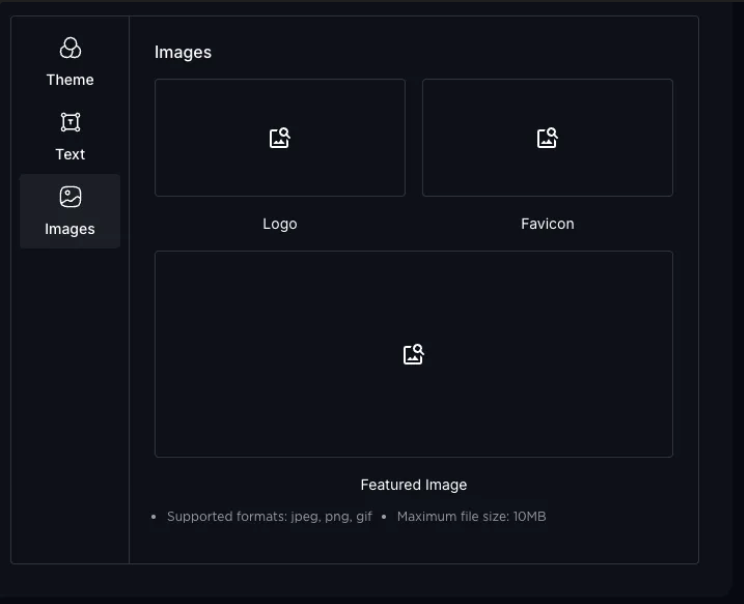
Images
Upload images that reinforce your brand identity.
- Logo: Upload your project logo to appear on your sale page.
- Favicon: Add a favicon for browser tab branding.
- Featured Asset: Showcase a featured visual asset on your project page. This gets displayed rather than the NFT Asset.
Why It Matters
A properly configured theme:
- Strengthens your project’s brand presence and recognition.
- Creates a cohesive and professional experience for your buyers.
- Builds trust by presenting a visually polished and consistent sale page.
With thoughtful customization, your Core Sale page becomes an extension of your project’s identity, helping you make a strong impression on participants.
Need Help?
If you need assistance customizing your theme or setting up your Core Sale page, reach out to us in LFG Discord. Our team and community are ready to help.
Thanks for the feedback.