Introduction
To interact with applications or NFTs on the BNB Smart Chain (BSC), such as purchasing or claiming node licenses, you'll need your tokens on the BNB Network and have BNB tokens in your wallet to cover gas fees.
This guide walks you through the process of bridging tokens to BSC using the MetaMask Bridge.
Prior Knowledge
What Is Token Bridging?
Bridging is the process of moving tokens from one blockchain to another, such as Ethereum and BNB Smart Chain. It allows you to use your assets across different networks and applications.
Gas Fees on BNB Network
When using the BNB Network, you need BNB tokens in your wallet to pay for gas fees, which are required for most transactions, including bridging and minting NFTs.
Recommended Wallet
This guide uses MetaMask, a widely supported Web3 wallet. Ensure your MetaMask or a Web3 wallet is installed and set up before proceeding.
How to Bridge Tokens to BNB Network
1. Go to the MetaMask Bridge
Navigate to: https://portfolio.metamask.io/bridge
Note: This is the official bridge provided by MetaMask. Always verify URLs to avoid phishing sites.
2. Connect Your Wallet
- Click “Connect Wallet”.
- Choose MetaMask and approve the connection.
3. Select Source and Destination Networks
- From this network: Choose the network where your tokens are currently located (e.g., Ethereum).
- To this network: Select BNB Chain.

4. Choose the Token and Amount
- Select a supported token you wish to send and receive.
- Enter the amount you wish to bridge.

Note: Ensure the token is supported on both the source and destination chains.
5. Review and Confirm the Bridge
- Review the network and amounts you entered.
- Press Confirm button
- Approve the transaction in MetaMask
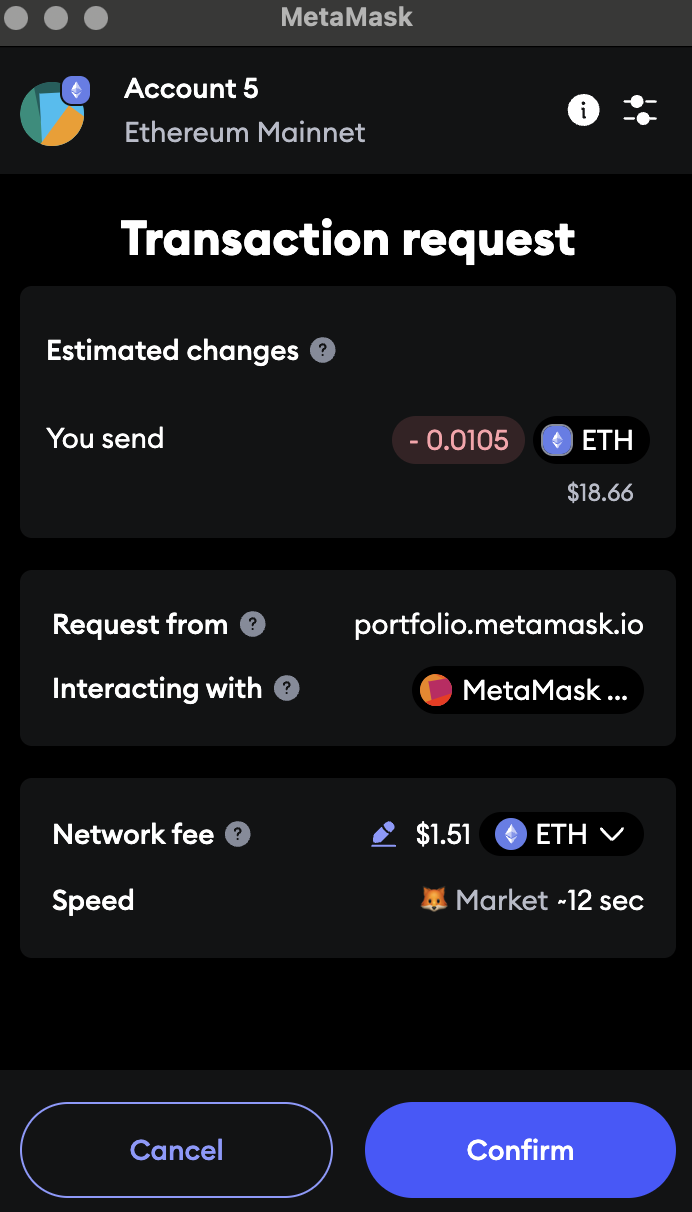
- Wait for the transfer to complete. This may take a few minutes depending on the network.
6. Add BNB Chain to MetaMask (if needed)
If BNB Smart Chain isn't added to your MetaMask:
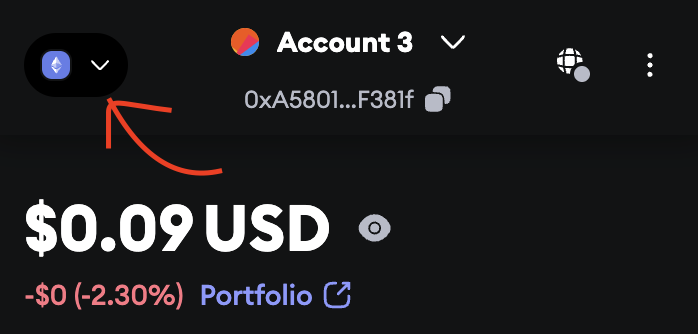
- Open your wallet extension and press the Network button on the top left.
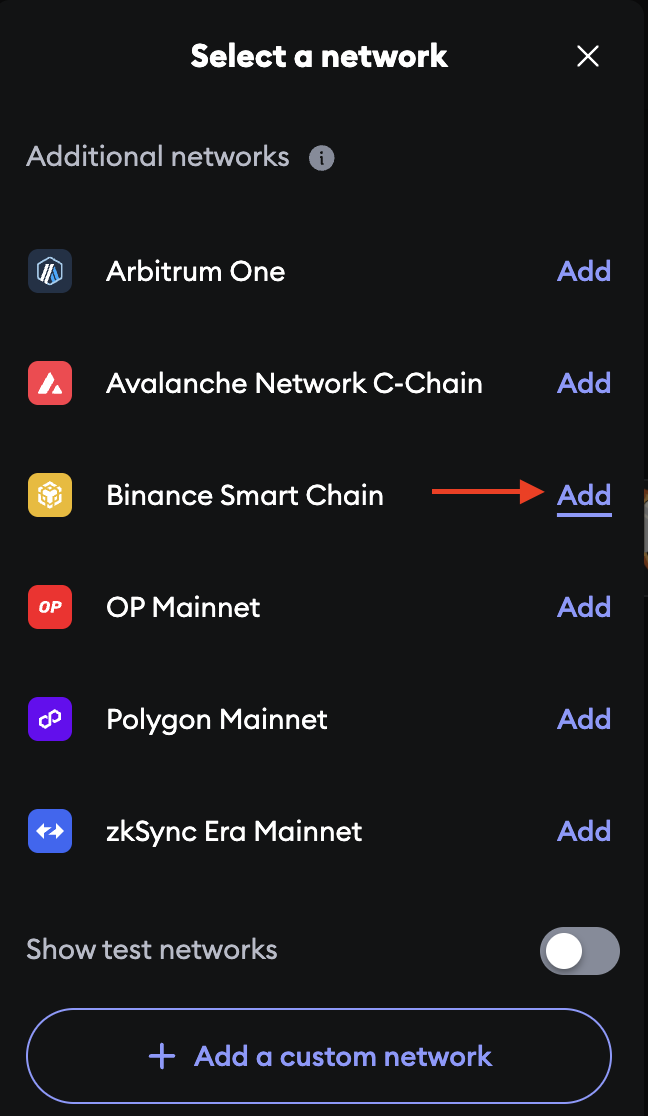
- Under Select a network, scroll down until you see Binance Smart Chain then press Add and then Approve.
Need Help?
If you need assistance bridging tokens, join the LFG Discord. Our team and community members are ready to guide you through the process.
Thanks for the feedback.